Accurate prayer times, the adhan, and a calm prayer screen that gently pauses your phone and computer at Salah time, so you can step away and pray. Stay consistent, wherever you are.
One account keeps your prayers, settings and Premium with you on every device.
I have an accountI’m new here
First name
Last name
Email
Password
At least 8 characters
Create account
1. Create accountQuick and secure sign up.
9:41
Location
Detect my approximate location
Uses your internet connection to find your city. Your location stays on this device.
Search any city or town
Popular cities
Makkah, Saudi ArabiaAsia/Riyadh
Madinah, Saudi ArabiaAsia/Riyadh
Istanbul, TürkiyeEurope/Istanbul
London, United KingdomEurope/London
Jakarta, IndonesiaAsia/Jakarta
Kuala Lumpur, MalaysiaAsia/Kuala_Lumpur
2. Set locationDetect it or search.
9:41
Device setup
Screen lock needs permission
Allow “Display over other apps” below so the prayer screen can cover other apps.
Permissions
The prayer screen needs these to appear on time. Allow them now; you can change them later.
Display over other appsRequired to cover the screen at prayer time.
Allow
Alarms & remindersStarts the prayer screen exactly on time, even when the app is closed.
Allowed
NotificationsReminders shortly before each prayer.
Allowed
Try the prayer screen (1 minute)
A practice run in Focus mode. Nothing is recorded.
3. Allow permissionsThen try a practice run.
إِنَّ ٱلصَّلَوٰةَ كَانَتْ عَلَى ٱلْمُؤْمِنِينَ كِتَٰبًا مَّوْقُوتًا“Indeed, prayer has been decreed upon the believers at specified times.” (4:103)
Salah Focus
Step away with peace
When it’s time for Salah, Emaan Track gently takes over your screen and helps you leave your device. No distractions, just a calm reminder of what matters most.
A calm, quiet prayer screen for each of the five prayers
A focus time of 5 minutes, or 10, 15 and 20 with Premium
You choose when it opens, always within the prayer’s valid time, or at your masjid’s jama’ah with Premium
Calls and emergency dialing always stay available
Afterwards, the adhkar on a misbaha and a surah to read, if you wish
Gentle
Shows the prayer screen. You can close it at any time.
Focus
The prayer screen stays until the focus time has passed and you confirm.
5:24
FAJR TIMEEmergency exit
Fajr time
Take a moment to disconnect and be with Allah.
3:12focus time
What you say · In rukū‘
سُبْحَانَGlory be toرَبِّيَmy Lordالْعَظِيمِthe Most Great
Subḥāna rabbiya l-‘aẓīm
“Glory be to my Lord, the Most Great.”
Sahih Muslim 772
You can confirm once the focus time has passed.
وَرَتِّلِ ٱلْقُرْءَانَ تَرْتِيلًا
Beyond the five
The Quran, the Sunnah, remembrance, and the people you pray alongside.
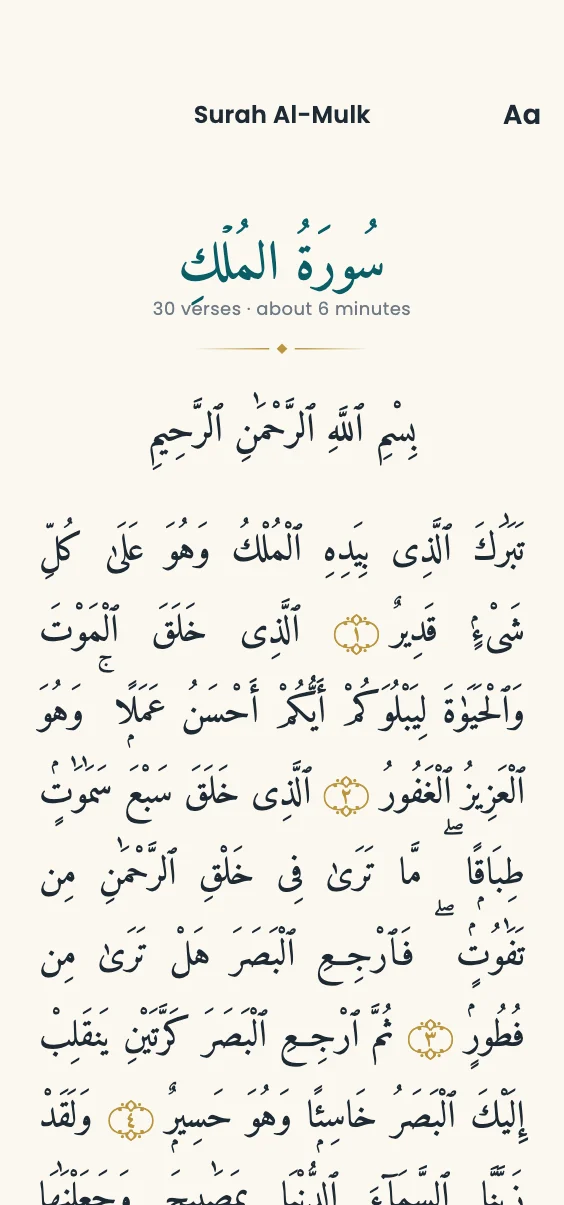
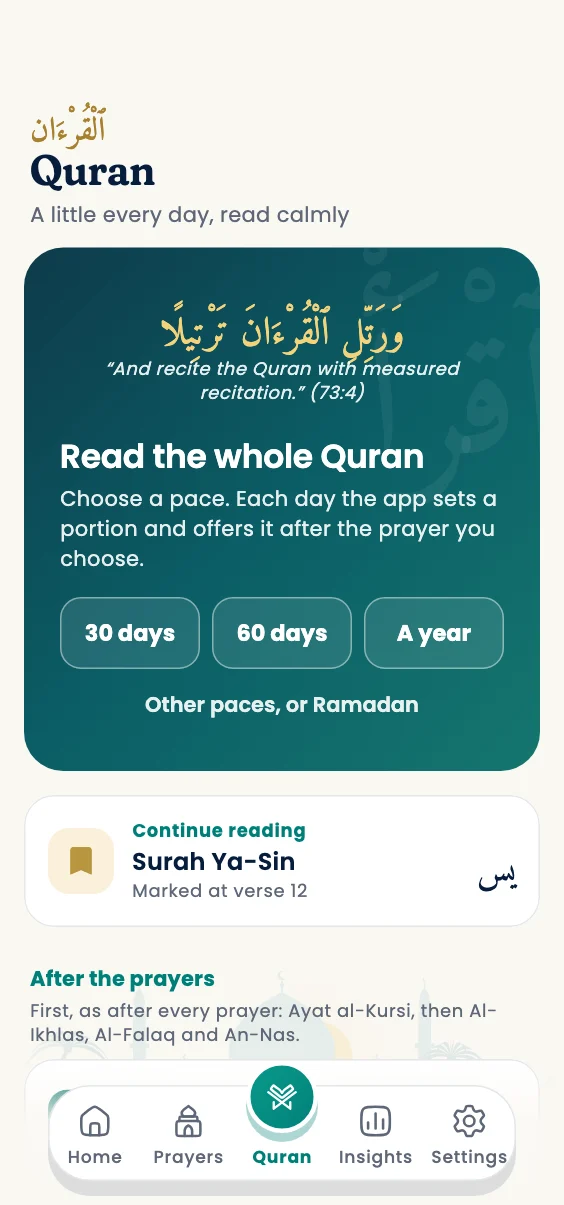
A Quran tab of its own. Choose a khatm at your pace, thirty days, sixty or a year, and each day a portion waits after the prayer you choose. Read on a quiet page in paper, sepia or night, and pick up a surah where you left it.
YusufMaryamBilal3 of 5 todayAmina made dua for youMay Allah accept your prayers.
Pray together, gently
A private circle of family or friends, up to twelve. Each person chooses what the others see: nothing, how many of the five, or which. Never times, never why. And with one tap, a dua for one another.
ٱلسُّنَّةToday’s Sunnah8 of 12 rak’ahsDuhaTahajjudWitrTomorrow: Thursday, a Sunnah fast
The Sunnah, kept like pearls
Turn it on and Home holds the twelve Sunnah rak’ahs as pearls on a thread through the day, with Duha, Tahajjud and Witr. On the days of a Sunnah fast, Mondays and Thursdays, the White Days, Arafah, Ashura and Shawwal, Home tells you the evening before. Counted, never measured.
سُبْحَانَ ٱللَّٰهِ21of 33
Remembrance, at any time
A tasbih of thirty-three beads: tap anywhere to count, a gentle touch with each bead and a firmer one at the goal. Eight remembrances, each with its meaning and its hadith. And on Home, a hadith a day, its source named.
سَكِينَة
And the quiet details
Works offline
Prayer times are calculated on your device and keep working without a connection.
In step on every device
Android, iPhone, Mac and Windows. Confirm a prayer on one and the others follow.
12 calculation methods
Choose the authority your local mosque follows, and the Standard or Hanafi Asr time.
The adhan, your way
Full adhan, a short one, a chime or silence. Chosen for each prayer, with its own time and focus mode.
The Qiblah, two ways
A compass that turns with your phone, and the sun as a guide where there is none.
Private by design
No tracking. Only what you choose to sync leaves your device; your exact location never does.
Fajr Rise
A wake-up alarm for Fajr that rings even on silent, then Fajr’s prayer screen opens. Premium, on Android and iPhone.
My Masjid
Your masjid’s jama’ah times and Jumu’ah, a reminder when it is time to leave, and the prayer screen at the jama’ah. Premium.
Masjids near you
The masjids around you, nearest first, with the way there in Maps. Free; make one your masjid with Premium.
A hadith a day
On Home, one short hadith each day from al-Bukhari, Muslim and others, the Arabic with its meaning and source, to share.
On your wrist
An Apple Watch app with the next prayer counting down and today’s five, and complications for your watch face.
Ramadan
Suhoor and Iftar on Home with a countdown, and a Suhoor alarm before Fajr. Adjust the Hijri date to your moon sighting.
Qada
Note the prayers you owe, tap “Made up” after each, and follow a daily plan to the finish. A prayer that went unmarked is added in one tap from Home. Premium.
After-prayer adhkar
SubhanAllah, Alhamdulillah, Allahu akbar and more, one at a time, each bead gold as you say it, from Sahih Muslim. Free.
How soon you pray
See how soon after the adhan each prayer is usually confirmed, and which one is hardest to keep. Premium.
What the prayer means
While the prayer screen waits, one part of the prayer, word by word: Al-Fatiha, rukū‘, sujūd, the tashahhud. In a few days, all of it.
Widgets
The next prayer counting down, and today’s five times with the prayed ones ticked, on your home screen. Android and iPhone, its lock screen too.
Six languages
English, اردو, العربية, Bahasa Indonesia, Bahasa Melayu and Türkçe, right to left where it should be. Notifications too.
A new city, noticed
Open the app somewhere new and it offers that city’s prayer times, and the method its mosques use. It never changes your city by itself.
Traveller mode
On a journey, Dhuhr, Asr and Isha show 2 rak’ahs (Qasr), and you can combine Dhuhr with Asr and Maghrib with Isha: one prayer screen for each pair. It ends when you are home.
Prayer pause
During menstruation or after childbirth: no prayer screens or reminders, nothing counted as missed or added to Qada, and your streak kept. Private to your device unless you share it.
A look inside
Calm on every screen
Clear prayer times, an honest confirmation, a surah to read afterwards, the Quran a portion a day, adhkar to count with a tap, the Qiblah along the horizon, and insights that encourage rather than judge.
9:41
ٱلصَّلَاةPrayers
When each prayer screen opens, and how.
Prayer times & focus
Today’s times in London. Tap a prayer to choose when its screen opens, its adhan and its focus time.
Fajr
DhuhrOpens 15 min after the adhan · 1:12 PM
Asr
MaghribGentle
IshaOpens 10 min after the adhan · 8:40 PM
Location & calculation
Calculation methodMuslim World League
Asr timeStandard
HomePrayersQuranInsightsSettings
Prayer settingsEach prayer, set your way.
4:12
ٱلسَّلَامُ عَلَيْكُمْGood afternoon
20 Rabi’ Al-Thani 1448 · Thu, Oct 1
NowAsr
4:00 PM
Ends in 2h 32m
Next: Maghrib at 6:44 PM
Begin prayer focus
I’ve already prayed
Today’s progress1 of 5 completedOne step at a time.
Buy Premium in the app or on this website, and it works on every device you sign in to. Prices are shown for your country; your app store, or Paddle (our Merchant of Record on the website and Windows), charges in its own currency and may add tax.
سُؤَالGood to know
Questions, answered
Does Emaan Track lock my device?
At prayer time it opens a calm prayer screen over whatever you are doing. How firmly depends on the device:
Android shows a full-screen prayer overlay, even when the app is closed.
iPhone sends a notification that opens the prayer screen, because iOS does not let apps lock the screen. With Premium, Screen Time can pause the apps you choose until you confirm.
Mac and Windows cover all your screens until the focus time has passed and you confirm.
What happens after I confirm a prayer?
Your screen is yours again straight away. Emaan Track then offers the after-prayer adhkar, one at a time on a misbaha, and a surah to read for a few more minutes: Ya-Sin after Fajr, Al-Fath after Dhuhr, An-Naba after Asr, Al-Waqi’ah after Maghrib and Al-Mulk after Isha.
It is an offer, never a lock: “Not now” closes it, the surahs stay on Home for later, and you can turn the offer off in Settings. Each one says plainly how firmly the practice rests on the Sunnah.
What if I have already prayed?
Tap “I’ve already prayed” on Home, for example after praying at the masjid. Once you confirm, that prayer’s screen does not open on any of your devices, and no reminder or alarm follows for it. A prayer whose time has passed can still be marked from Today’s progress on Home, even one from before you installed the app; if you did not pray it, add it to Qada in one tap. And if a prayer screen came while the app was closed, it first asks whether you have already prayed.
Which languages is it in?
English, Urdu, Arabic, Indonesian, Malay and Turkish, with Urdu and Arabic right to left and Urdu in Nastaliq. It follows your phone’s language, or choose one in Settings.
What if I need my phone urgently?
Calls and emergency dialing always stay available, and the prayer screen has an Emergency call button. In Gentle mode you can close the prayer screen at any time. In Focus mode it stays for the focus time you chose, 5 minutes by default.
How are prayer times calculated?
On your device, from your location, so they keep working offline. Choose from 12 calculation methods, including Muslim World League, ISNA, Umm Al-Qura, Karachi, Diyanet and the Egyptian General Authority, and the Standard or Hanafi Asr time.
Does the app know whether I prayed?
No. Emaan Track only records what you confirm, and it never claims to know whether you prayed. If you answer “Not yet”, the screen simply waits, without pressure.
What happens to my data?
No tracking. Prayer times are calculated on your device, and only what you choose to sync leaves it: your settings, your confirmed prayers and your Premium, kept with your account so they follow you to your other devices.
Which prayers does it cover?
All five daily prayers: Fajr, Dhuhr, Asr, Maghrib and Isha. You get accurate prayer times (namaz times) for your city, a reminder before each prayer, the adhan when it begins, and Salah Focus for each prayer you choose.
Does it show the Qiblah direction?
Yes. The Qiblah screen shows the direction of the Kaaba and how far away it is, using your phone’s compass. It measures from your city, or from your exact location if you allow it, which is used on your device only.
Which devices does it work on?
Android, iPhone, Mac and Windows. Sign in on each and they stay in step: confirm a prayer on one and the others follow. Free covers 2 devices, Premium as many as you like.
Can it wake me up for Fajr?
Yes, with Fajr Rise (Premium). At the time you choose, an alarm rings with the adhan, even on silent and over the lock screen. On Android it grows louder until you hold “Hold to rise”; on iPhone (iOS 26 and later) it is a system alarm you stop as usual. Then Fajr’s prayer screen opens. Snoozes are limited and never run close to sunrise. In Ramadan it can wake you for Suhoor instead.
Can it follow my masjid’s jama’ah times?
Yes, with My Masjid (Premium). Set your masjid’s jama’ah time for each prayer, a fixed time or minutes after the adhan, and the Jumu’ah time. The prayer screen then opens at the jama’ah on all your devices, and a reminder tells you when to leave, based on how long it takes you to get there.
What happens when I travel?
When you open the app in another city, it asks whether to use that city’s prayer times, and offers the calculation method its mosques usually follow. It never changes the city by itself, and you can turn the check off in Settings.
Say you are on a journey and traveller mode shortens Dhuhr, Asr and Isha to 2 rak’ahs (Qasr). If your school allows it, you can also combine Dhuhr with Asr and Maghrib with Isha, with one prayer screen for each pair. It ends by itself when you are back home.
What about days I am excused from prayer?
Turn on Prayer pause during menstruation or after childbirth. There are no prayer screens, adhan or reminders, nothing counts as missed or is added to Qada, and your streak is not broken. A prayer whose time is still running when you end it is due as usual.
It stays on your device. Only if you choose “Also pause my other devices” is it saved with your account, so they pause too. On Home it shows simply as “Prayer pause”.
Does it help with the Sunnah prayers and fasts?
Yes, if you want it. Turn on the Sunnah prayers in Settings and Home shows the twelve regular Sunnah rak’ahs, two before Fajr, four before and two after Dhuhr, two after Maghrib and two after Isha, with Duha, Tahajjud and Witr. Each is one tap. Nothing voluntary is ever counted as missed.
On the days of a Sunnah fast, Mondays and Thursdays, the White Days, Arafah, Ashura and six of Shawwal, Home tells you the evening before, then asks on the day. Never on Eid or the days of Tashreeq.
Is there an Apple Watch app?
Yes. The watch shows the next prayer counting down and today’s five, and its complications put the next prayer on your watch face. Your iPhone hands the watch the week’s prayer times, so it keeps going when the phone is away.
Is it really free?
Yes. Free always includes Salah times, location-based calculation, offline use, notifications, the 5-minute Salah Focus, basic history, 2 devices, the after-prayer adhkar and the tasbih, the Sunnah prayers and fasts, a hadith a day, finding masjids near you, and Ramadan’s Suhoor and Iftar times. Premium adds Fajr Rise, My Masjid, Qada, unlimited devices, longer focus times, advanced focus and your full history.
 Emaan Track